Defining the Project Information
When starting a project in WAVE it is advisable to put in project information including project name, date, description etc. This can be done as follows:
- Click on “User Settings” in the top ribbon
-
Click on “Project Info.”
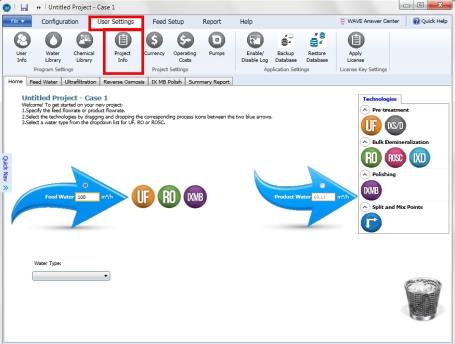
Figure 1: Selection of the Project Info button to specify Project Information
-
Specify the Project Information and click on ‘Save’
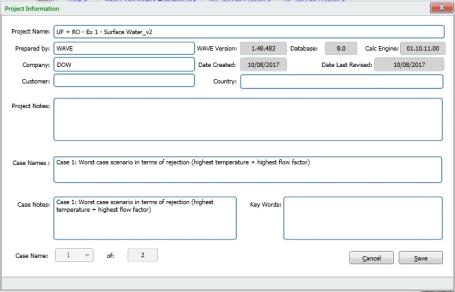
Figure 2: Specification of the Project Information
Notes:
- The following fields are taken from the ‘User Information’ window: ‘Prepared by’, ‘Company’ and ‘Country’ by default. The user can update them on the ‘project Information’ window.
- The ‘WAVE version’, ‘Database’, ‘Calc Engine’, ‘Date Created’ and ‘Date Last Revised’ are not user inputs.
- The number of cases is determined by the Case Manager. Users cannot update the number of cases at the Project Information window.
- The Case Notes are displayed in the Case Manager and Quick Nav windows as well as the Detailed Report.